> For the complete documentation index, see [llms.txt](https://docs.marginly.com/llms.txt). Markdown versions of documentation pages are available by appending `.md` to page URLs; this page is available as [Markdown](https://docs.marginly.com/app/how-to/deposit-liquidity.md).

# Deposit Liquidity

Learn how to provide liquidity to a pool in Marginly

### About

Users can provide liquidity to Marginly pools and earn fees from borrowers.&#x20;

### Step-by-step guide

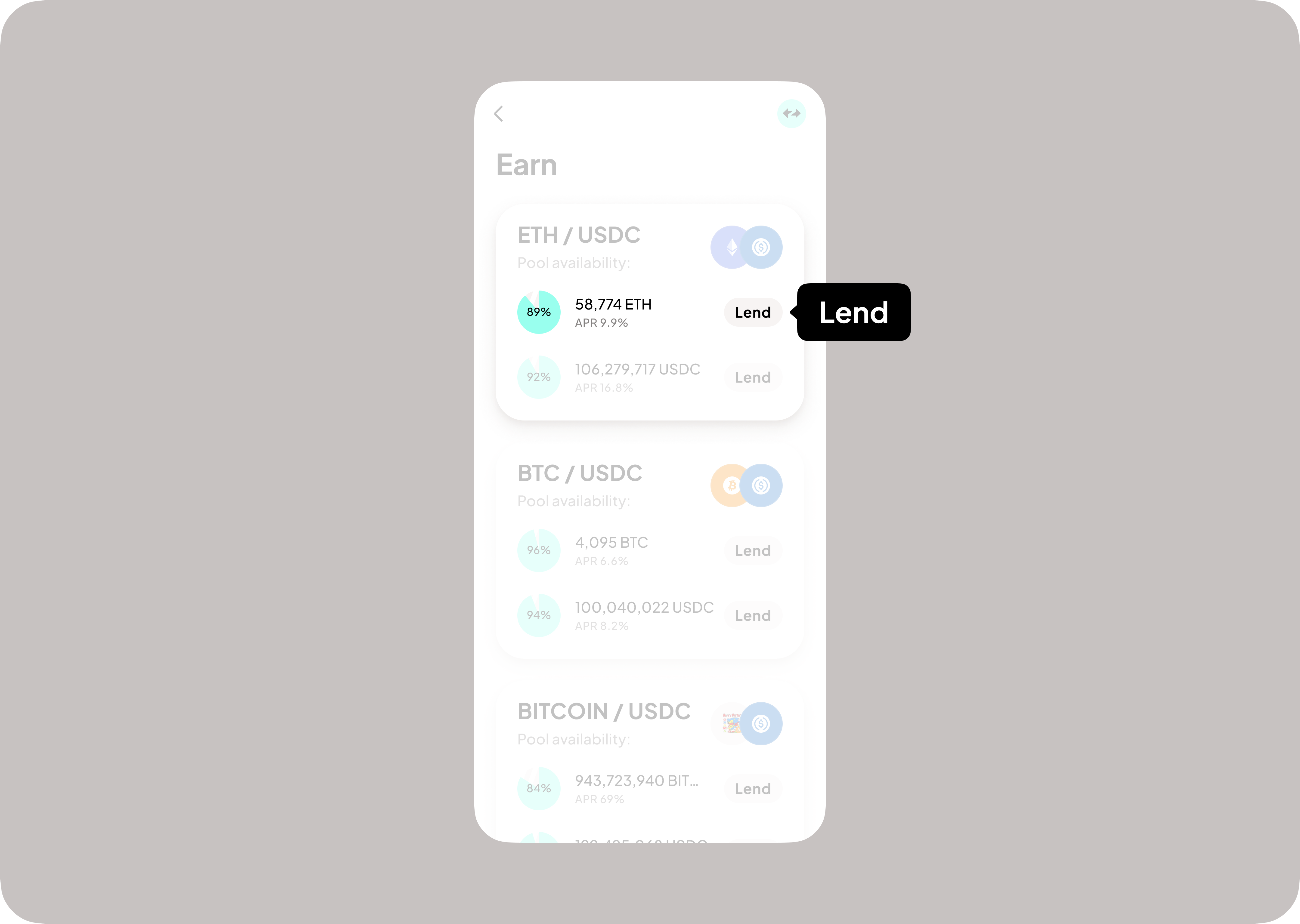
1. Click Earn on the main screen of the app
2. Click “lend” on the asset you wish to deposit

<figure><img src="https://698120604-files.gitbook.io/~/files/v0/b/gitbook-x-prod.appspot.com/o/spaces%2FQiFBW4qPpAjrKQaezZ3s%2Fuploads%2Fkxi5M36kkpBEGEc4xzVu%2FDoc%2025.png?alt=media&amp;token=6dded397-d996-4ffd-9982-1580242f3721" alt=""><figcaption></figcaption></figure>

3. Input desired amount (1) and press “Lend” (2)

<figure><img src="https://698120604-files.gitbook.io/~/files/v0/b/gitbook-x-prod.appspot.com/o/spaces%2FQiFBW4qPpAjrKQaezZ3s%2Fuploads%2FQZYUwX5MUDgts25vnBVe%2FDoc%2026.png?alt=media&amp;token=c20e9388-a6f1-4d2b-b654-d635517ba539" alt=""><figcaption></figcaption></figure>

4. Sign transaction in wallet
5. Receive confirmation
<figure><img src="https://698120604-files.gitbook.io/~/files/v0/b/gitbook-x-prod.appspot.com/o/spaces%2FQiFBW4qPpAjrKQaezZ3s%2Fuploads%2Fvjz77cKgXhIojEVUiPSf%2FDoc%2027.png?alt=media&amp;token=480f4219-6787-4dd5-9af8-25971f536e39" alt=""><figcaption></figcaption></figure>
